What Website publication is for
Website publication is the central management area for your company's public entry points. You decide whether visitors first select a model, start directly with a model variant, or open a prepared design.
Open Website publication in the company portal. The entry screen shows the available publication types; Manage opens the respective workspace. A publication's settings are separate from internal editing of a project.
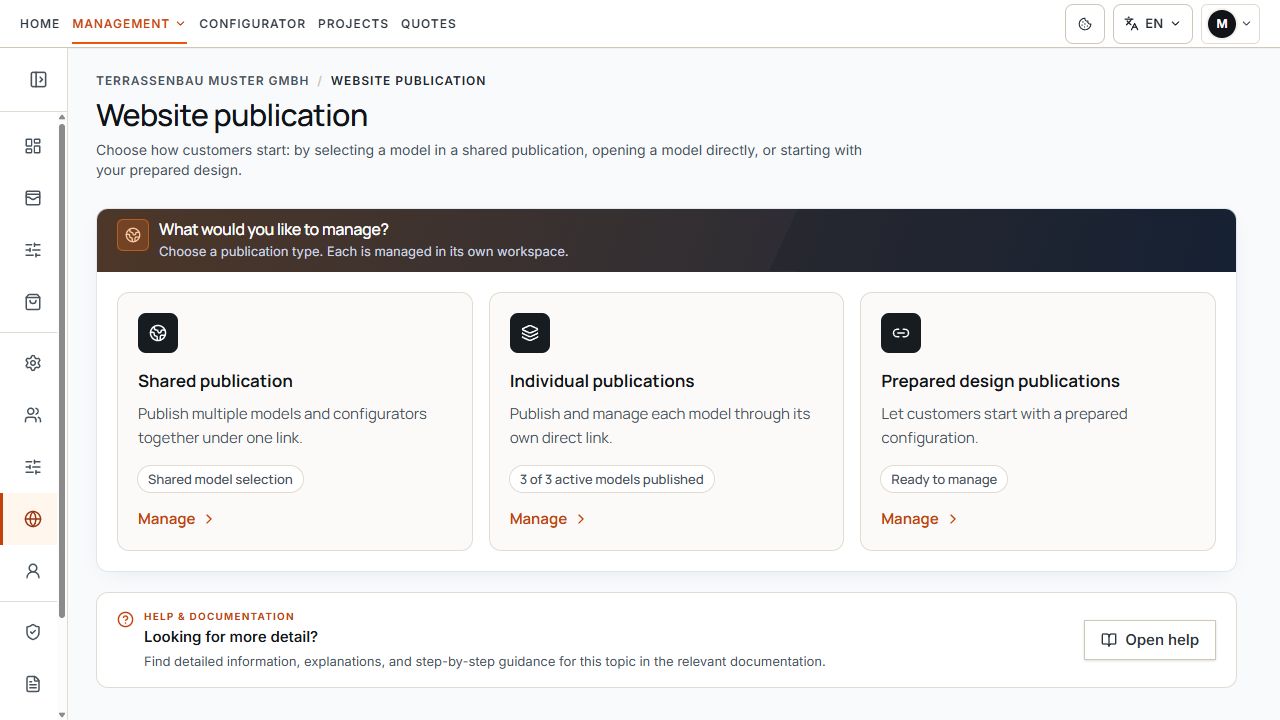
Entry point to Website publication
The three areas lead to the different starting options for website visitors. View with sample data.
Check access, company permissions, and demo
- The publication module or corresponding company permission must be active. Otherwise, the Website publication is not active notice appears.
- Manage requires the appropriate management rights. Visible information or preview links alone do not authorize changes.
- Use custom web address is an additional permission. If it is absent, the available Terrace3D link may still be the intended publication route.
- Publications with starter designs appear only with the corresponding feature permission. A missing area must be distinguished from an empty publication collection.
- Demo accounts can test the preview links provided for the demo account. They do not authorize embedding in your own website; demo links are valid only for the demo period.
If an expected action is missing, first check the company, user access, model permission, and publication rights. A hidden switch does not establish a general technical error.
Shared and individual publications
Shared publication makes several selected models from available configurators available under one shared entry point. Customers select a model and then configure that model.
Individual publications manages a separate direct entry point for each model variant. Such a link starts without a shared selection page. A model's selection and prices in the shared publication do not automatically change its separate publication.
- The shared publication and individual links are activated and managed independently.
- Shared model selection: check included models, order within each group, and price display.
- Individual publications: check the correct product and model and the Individual publication active state.
- Model images are maintained in the model variant's configurator settings; the publication area provides the associated link.
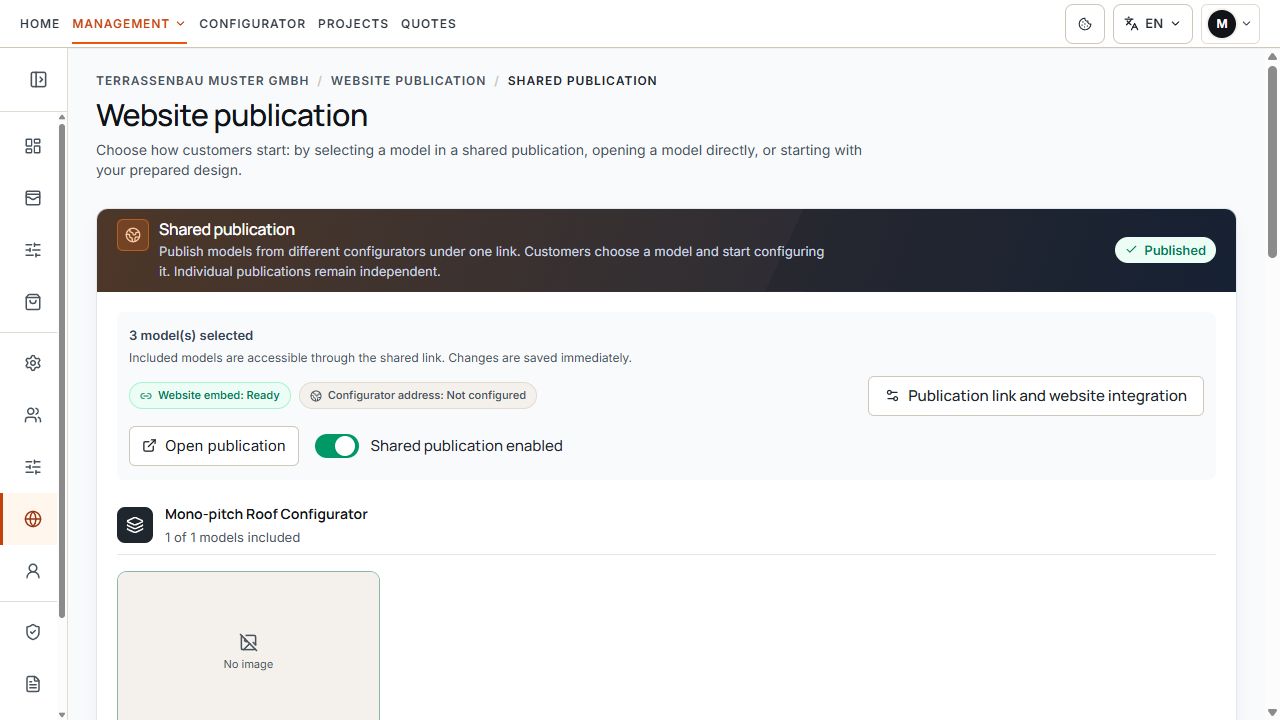
Shared model selection
The selected models belong to the shared model selection for visitors. View with sample data.
Prepared publication with starter design
In Publications with starter designs, select a model variant and prepare dimensions and options. The customer starts with this design and can continue in the available configurator.
Once the feature is enabled, a published version can also be used via its Terrace3D link. A custom company subdomain is an additional route; it is no longer a general prerequisite for the Terrace3D link.
A draft, a preview, and a published customer link are different states. When changing a starter design and model defaults, check the displayed effect and required republication.
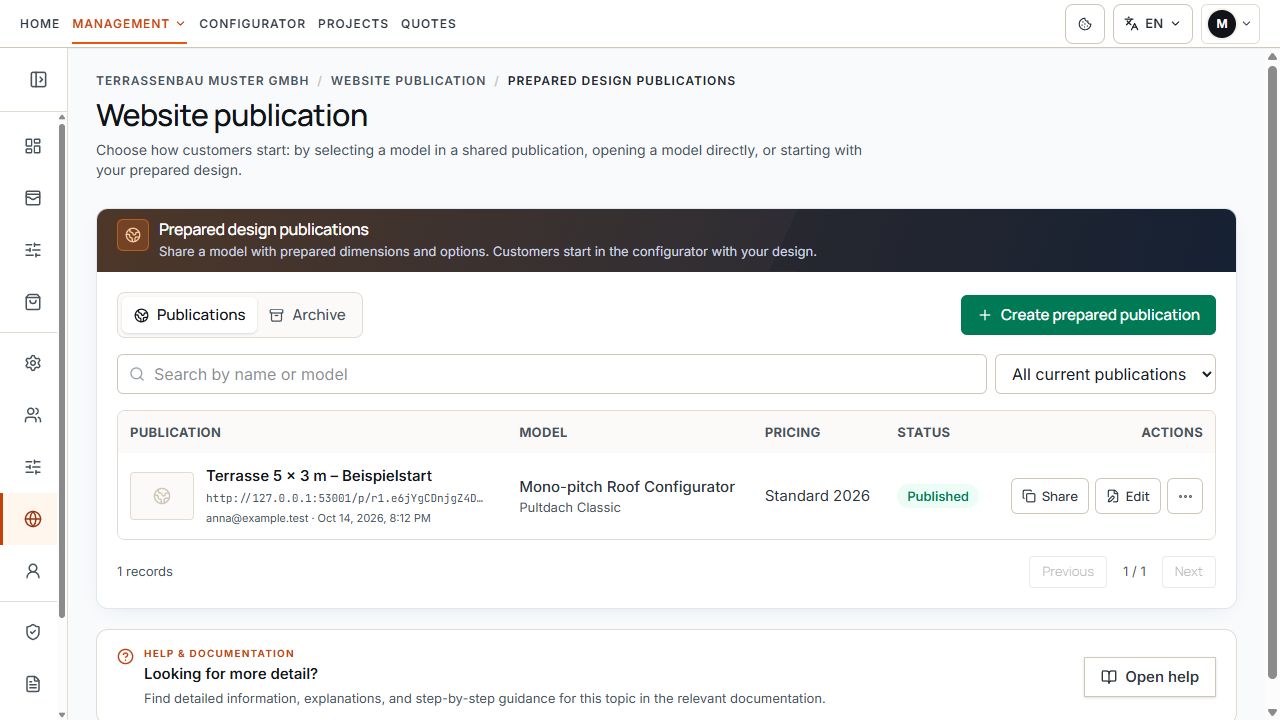
Publications with starter designs
The list associates starting templates with publication status. View with sample data.
Iframe embedding and direct company subdomain
Publication link and website embedding opens the available usage routes. You can open, copy, and directly share the active Terrace3D link or use it as the source for an iframe.
Embedding in an existing website also depends on the registered company website. Do not construct the displayed embedding address yourself from an internal portal or editing address.
Use custom web address assigns a publication to the home page or a custom path on the configured company subdomain, where enabled for the company.
A pending DNS check affects the custom web address. An active Terrace3D link remains independent of it; this also applies to enabled publications with starter designs.
Check prices and published content
- An active model variant available to the company has been selected.
- When displaying prices, the appropriate available pricing tariff has been selected; missing or incomplete pricing bases have been resolved beforehand.
- Price display has been checked in the publication area actually used. Check shared, individual, and prepared publications separately.
- Market, displayed currency, and language have been checked in the customer view.
- Prices shown in the public configurator have been distinguished as provisional information from a separately created, finalized quote.
Domain, DNS, and SSL status
The custom web address is prepared under Settings in the Domain area. Copy the DNS values displayed there for the selected subdomain and check the reported state. DNS approval, SSL setup, and assignment of an active publication are separate prerequisites.
A custom address may already appear in the publication dialog while DNS or SSL is still being set up. Rely on the status and test opening the full public address.
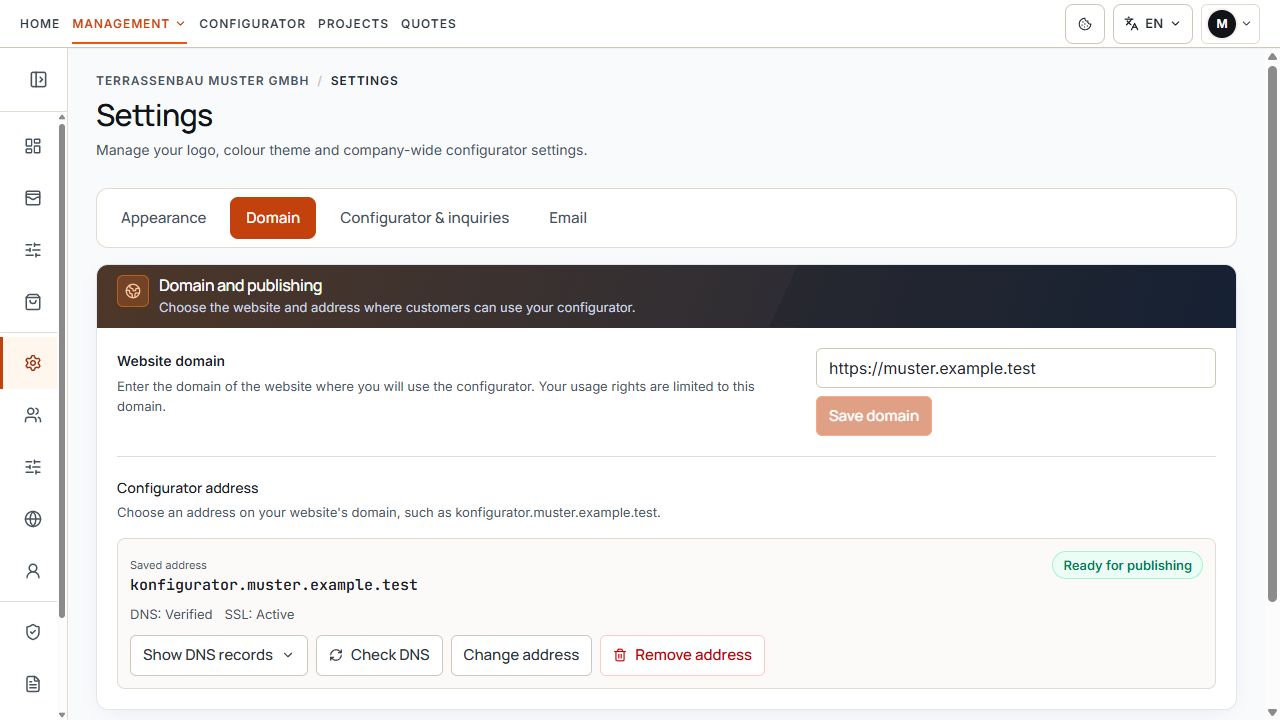
Custom web address status
Hostname, DNS check, and SSL state describe the technical readiness of your own address. View with sample data.
Check changes and stop publication
- In the shared publication, offered content and ordering changes are saved immediately. Wait for feedback and check the public view again.
- Switching off a publication ends its public access. Do not confuse shared and separate publications.
- Stopping only the custom web address must be distinguished from deactivating the underlying publication.
- If an individual model publication is removed and later recreated, a new Terrace3D link may be generated. After reactivation, copy the current link and check existing website embeds.
- For a starter design, use the intended states and confirmations; before changing a version already in use, check the effect.
