Step 1: Structure
Structure (Veranda type in older guides) defines the model's basic design. The mounting types, profiles, and colors offered are determined by the selected model variant and company permissions.
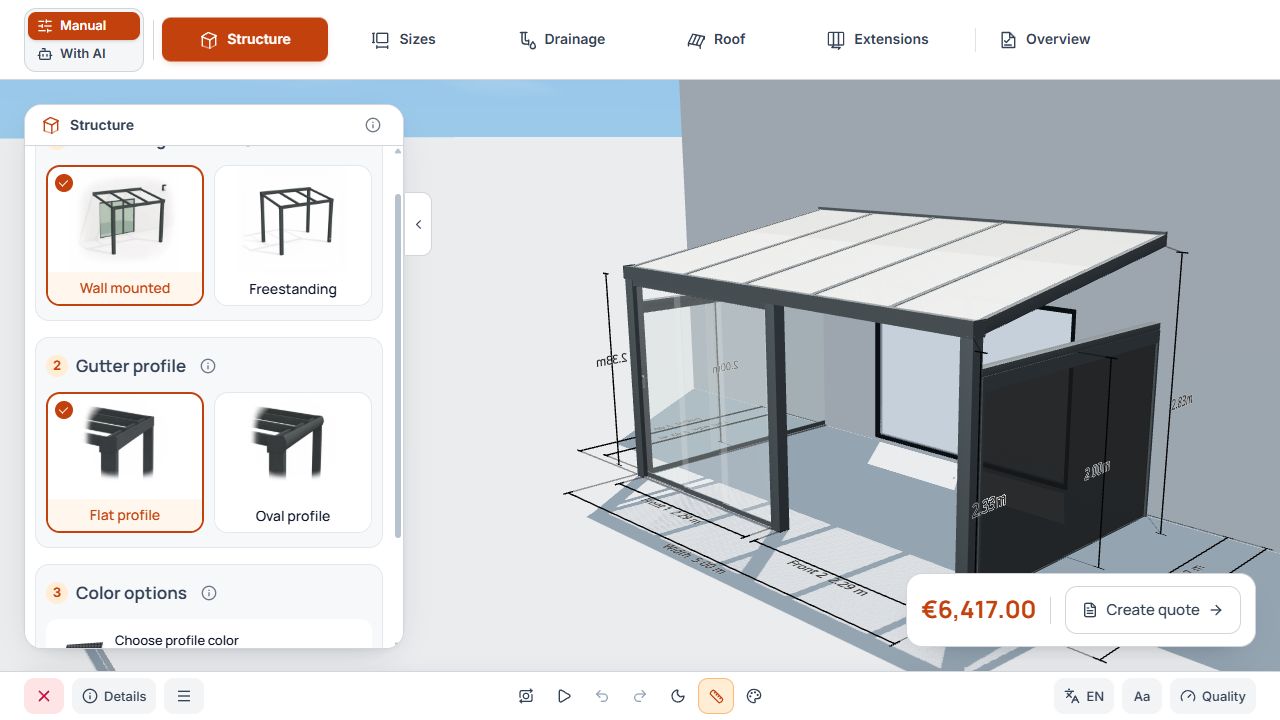
Studio Structure step
Structure is the first manual step. Mounting type and gutter profile are selected beside the 3D model. View with sample data.
Choose mounting type and profile shape
- Choose the offered mounting type to suit the intended wall connection or freestanding structure.
- Check the offered gutter profile, such as Flat profile or Oval profile.
- If only one profile shape is offered, it is applied and the additional profile selection is hidden.
- Check the changed structure and then the dependent post and extension areas.
Studio Structure step
Structure is the first manual step. Mounting type and gutter profile are selected beside the 3D model. View with sample data.
Set frame color
Open color selection and choose an offered frame color. The selection is displayed in the 3D scene. Colors for a product or fabric added later are also selected in the respective product area.
If individual profile colors are offered, note the information shown and later check the price status or a notice about separate price agreement.
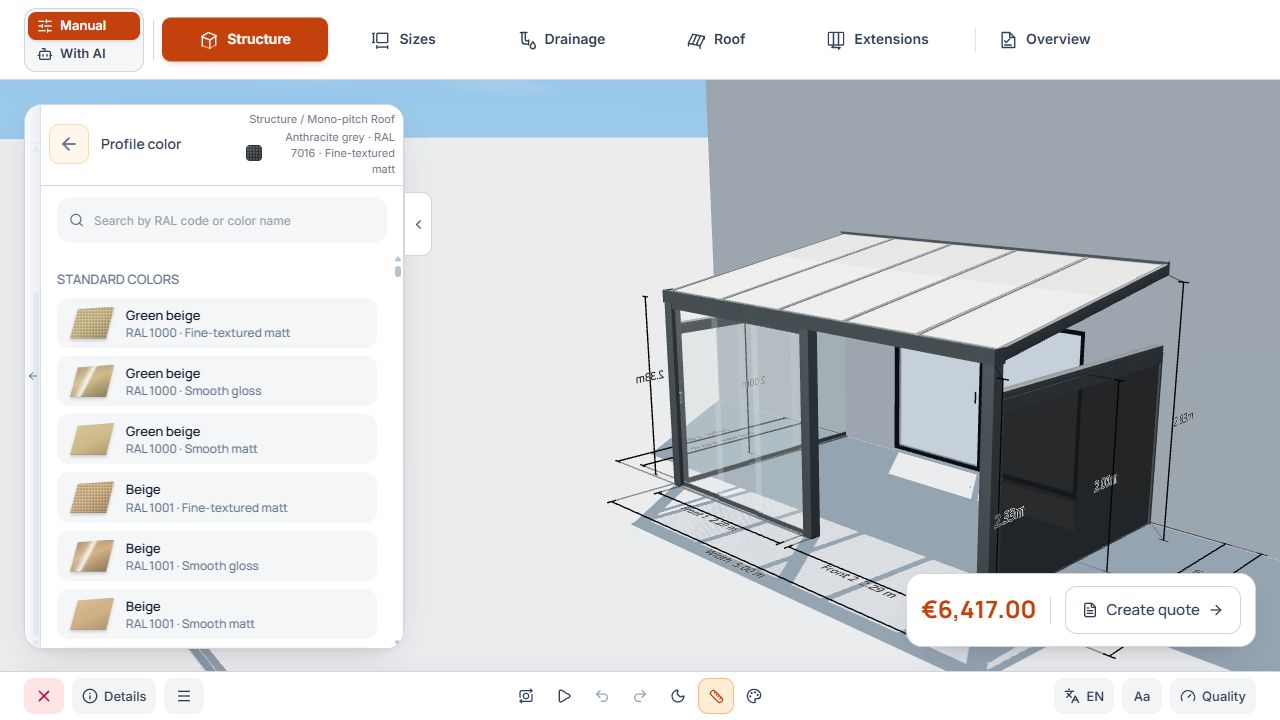
Frame color and 3D preview
The palette connects profile color selection with the displayed model. View with sample data.
Model selection and hidden sections
Model selection is offered only when several model variants are accessible. For an individually published model variant, this section may be absent. Check the active variant at the entry point.
Visible sections are numbered consecutively. If a model or profile selection is absent, subsequent section numbers may change; the main step remains Structure.
Check the basic structure and continue
- Check model variant, mounting type, profile shape, and frame color.
- After changing mounting type, note rear areas that become available or disappear.
- Use Next to move to the Dimensions Studio step.
