Open the Website publication area
The current entry point leads to separate workspaces. The number of published individual models describes the records in that area; it does not confirm that every custom domain is already reachable.
- Open Website publication in the company portal.
- Check company assignment, publication rights, and the available model variant.
- Under What would you like to manage?, open the appropriate area with Manage.
- For external address setup, use Settings in the Domain area if needed.
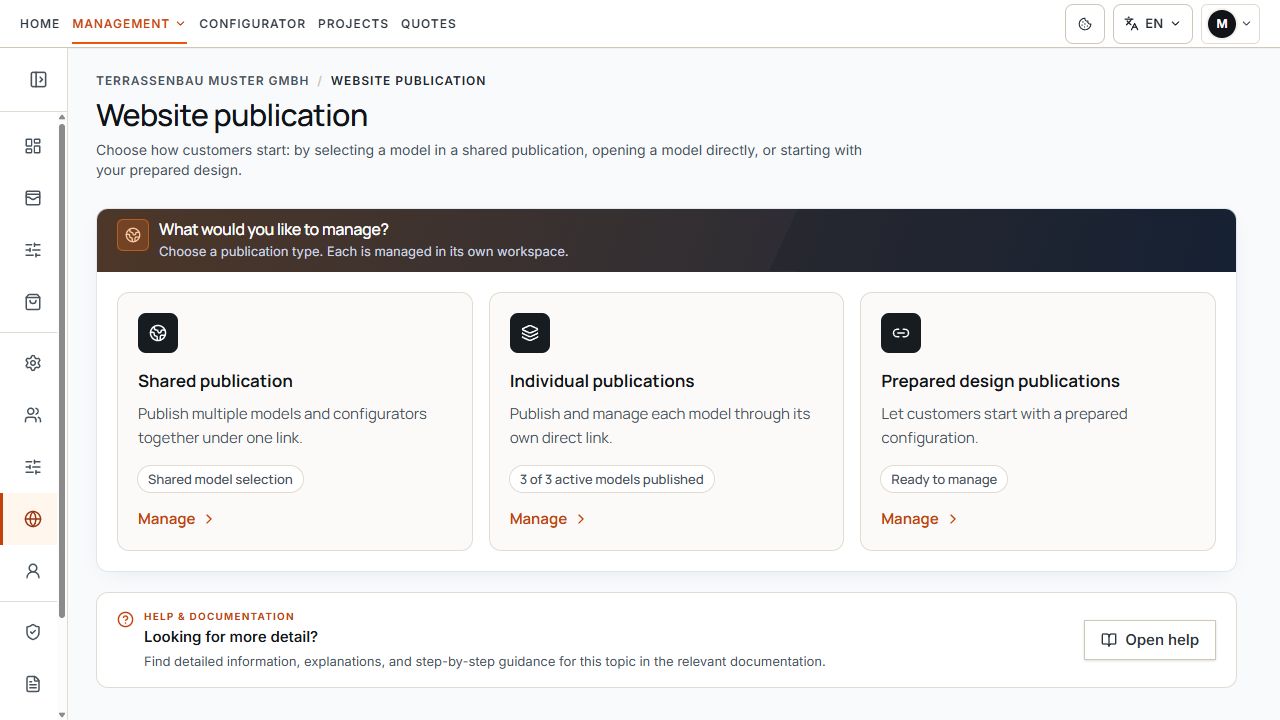
The three available publication areas
The three areas lead to the different starting options for website visitors. View with sample data.
Distinguish three publication types
- Shared publication: several enabled models appear on one selection page. Customers first select a model.
- Individual publications: a separate link opens a particular model variant directly. These links are managed independently of the shared selection.
- Publications with starter designs: customers begin with prepared dimensions and options. Feature permission and a published version are required; a custom company subdomain is not mandatory for the Terrace3D link.
Choose the appropriate customer starting point
The three areas lead to the different starting options for website visitors. View with sample data.
Iframe embedding and direct company subdomain
An active Terrace3D link is the public entry point provided by Terrace3D. You can share and open it directly. To embed in your website, use the address provided in the portal as your iframe source.
The registered company website determines the permitted scope for iframe embedding. A directly working link therefore does not fully prove that it may be embedded on any arbitrary website.
With additional permission and a configured custom web address, the publication can also appear on the company subdomain's home page or under a path. This assignment has its own status.
A pending DNS check for the custom web address does not block an active Terrace3D link. An enabled publication with a starter design can also be used through its Terrace3D link without a completed custom web address.
Prepare models, images, and prices
The publication adopts the enabled model options. A public selection must not replace equipment or pricing permission missing from the company model. Check pricing settings of shared, individual, and prepared publications separately.
- The product and model variant are active and enabled for the company.
- Model name and model image have been checked in configurator settings.
- For shared selection, included models and their order within the group have been checked.
- The desired price display and an available complete pricing tariff have been selected in the specific publication.
- Sales countries, currencies, customer inquiries, and company branding have been checked in the associated settings.
Activate publication and use the link
- Activate or publish the desired publication using the intended actions.
- Wait for saving or publication confirmation and check the displayed status.
- Open Publication link and website embedding and copy the provided Terrace3D link.
- Test the copied link as a visitor using Open in a new tab.
- If needed, copy the permanent Terrace3D link and use it as your own iframe's src; test the actual embed on your website separately.
- For Use custom web address, also check domain status, home page or path, and their activation.
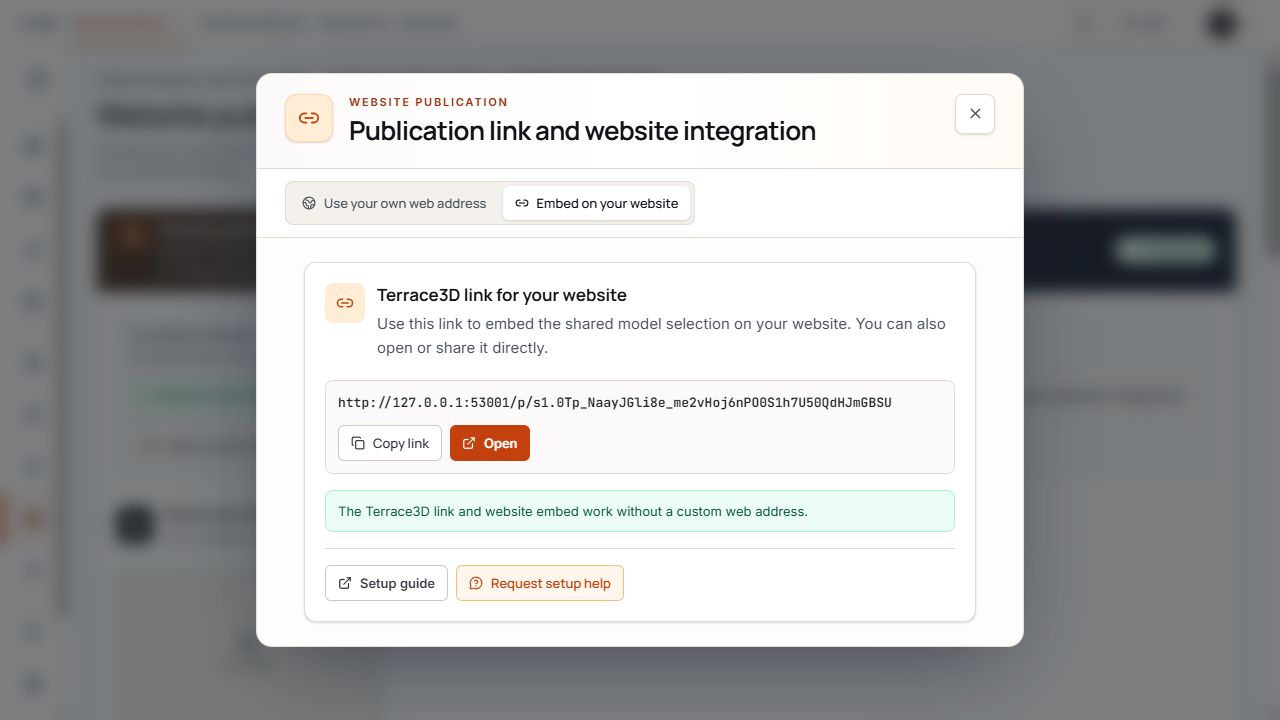
Publication link for the shared selection
The dialog shows the permanent link for the shared model selection and the copy and open actions. View with sample data.
A preview or saved starter design is not yet an active publication. For individual model links, always use the current address after removal and recreation.
Check customer view and test inquiry
A customer inquiry is not an automatically finalized quote or payment. The company checks the saved project and creates a separate quote if needed. An email sending status alone does not confirm delivery to the customer's inbox.
- Open the public entry point outside internal project editing.
- Check the correct model selection or prepared starting state.
- Check language, sales country, currency, permission to show prices, and company branding.
- Test navigation, inputs, and presentation on a smartphone and in the actual website embed.
- Open the linked company information and privacy notices in the view used.
- If customer inquiries are offered, send a deliberately marked test inquiry and check the reference, arrival as a web inquiry, and intended emails.
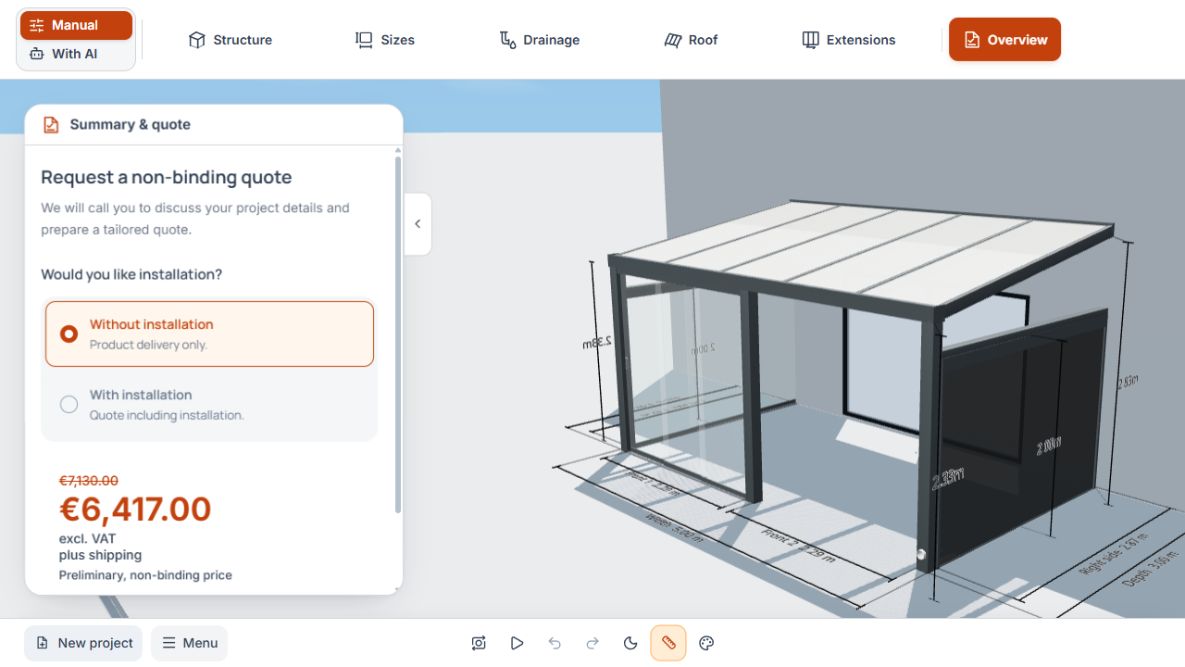
Overview for website visitors
The visitor overview shows the installation choice and non-binding preliminary price beside the design. View with sample data.
Changes, switching off, and retesting
- Shared and individual publications remain independent. Change or switch off only the publication actually affected.
- Changes to included models and their order may take public effect immediately. Check the feedback and then the visitor view.
- When changing a published starter design, note the displayed route back to the draft and required republication.
- After switching off, removing, rebuilding, or domain changes, check all used links and website embeds again.
- For problems, give Support the publication type, model, specific public address, time, and visible error message.
