Basics
What does Terrace3D bring together?
Terrace3D combines product-specific 3D configurators with a shared company portal. You assemble dimensions, materials, colors, and enabled options, check the visualization, and continue working on saved projects in the portal.
Which base configurators are included?
New online subscriptions include the three base configurators for mono-pitch roofs, flat roofs, and louvred pergolas. These three require no additional configurator license. Other configurators and additional services may be offered separately.
Who is the platform for?
For specialist companies that plan and sell these systems. The team can configure internally with the customer; an active public publication allows prospective customers to get started themselves.
Do website visitors have to log in?
Website visitors open an active public publication without a company account. When submitting an inquiry, they enter the contact and location details required by the form.
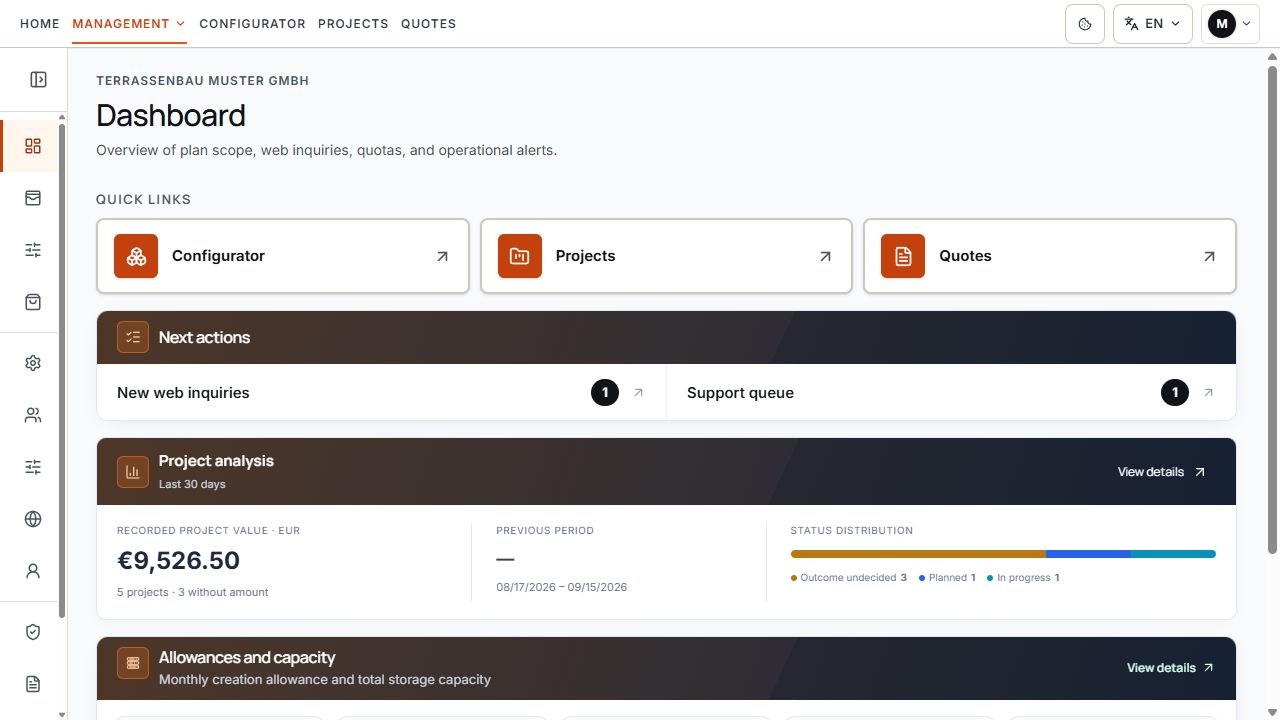
Shared company portal
The shared portal brings together projects, quotes, and other work areas. View with sample data.
Two routes to a customer project
How does a personal sale begin?
An authorized company user opens the desired configurator, selects a model and available pricing tariff, and saves the checked configuration as a project. The available steps depend on the product and interface; the Mono-pitch Roof Configurator offers the current Studio workflow.
How does a website inquiry reach the portal?
A visitor opens a shared selection, an individual model link, or an enabled starter design. After the inquiry form is submitted successfully, their configuration is saved as a web inquiry with a reference. Submission alone does not create a finalized quote or make a payment.
Where is work on these records continued?
Under Projects. Authorized users check the configuration, customer details, attachments, and project workflow. The visible scope depends on company access; the company-wide web inquiry overview is not generally accessible to restricted users.
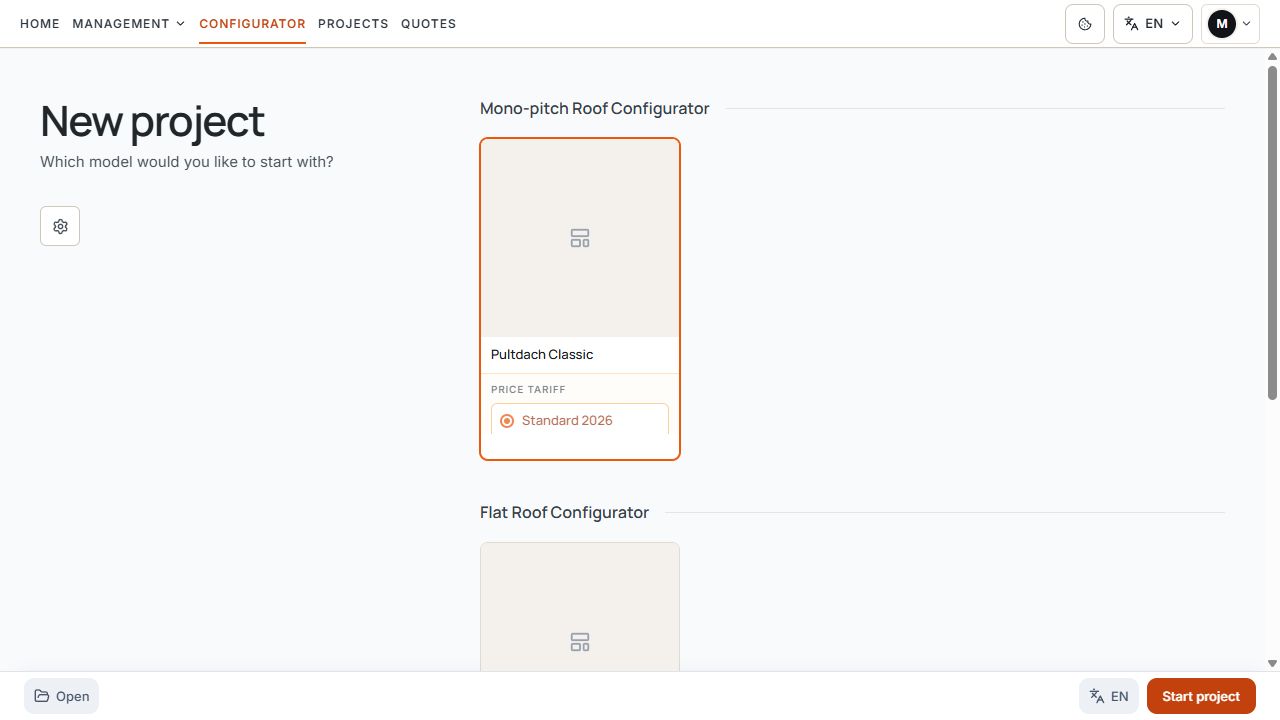
Internal project start
The model variant and pricing tariff are assigned before starting an internal project. View with sample data.
From configuration to quote
When can prices appear?
When price calculation, the model used, an available pricing tariff, and price display are enabled for the respective entry point. The price list basis and displayed market currency must be distinguished. A missing pricing basis does not mean a product is free.
How is a quote completed?
With the quotes module enabled, you create a draft quote from a checked, saved project. Check the details, line items, discount, currency, and VAT, save the draft, and explicitly finalize it. Only then are PDF and email available.
How are earlier versions preserved?
Project versions and quote versions have their own states. A project version linked to a quote is protected. For further project changes, continue it in an editable version; the contents of a finalized quote remain fixed.
The shared company portal
What does the overview provide?
Quick access, next actions when relevant, compact project analysis, possible system notices, and an overview of quotas. Project analysis and Usage & quotas also have their own detailed areas.
What does the company manage itself?
Authorized users manage model variants, pricing tariffs, website publications, company branding, markets, and inquiry settings within the enabled scope. Company details are under Contract & access; the logo and appearance are under Settings.
How is team access controlled?
Company-wide and restricted access determine which data and actions are visible. User management, contract and billing areas, and changes to company defaults are not enabled equally for every user. My account covers personal login details.
Work areas in the company portal
Quick access links lead to the configurator, projects, and quotes. Next actions complement project analysis. View with sample data.
Package contents and additional services
Do all companies see the same features?
The scope depends on the package, confirmed contract, active configurators, company permissions, and user rights. For example, Basic does not include quote creation, quote PDFs, or automatic price calculation; check the current package comparison and your own access details.
What is billed for new online subscriptions?
The three base configurators are included in the monthly package. Additional users, other configurators, and separately ordered services are shown before ordering. Existing and manual contracts retain their agreed terms.
Are individual settings completed automatically?
Account and environment preparation must be distinguished from maintaining customer-specific data. You handle model, product, and price settings and work on the company website yourself or commission them separately. The scope, price, and date follow the confirmed order.
Your confirmed order, the services it includes, and the access currently assigned to you are authoritative. A visible product name alone does not confirm that additional features are enabled.
Getting started with Terrace3D
How do new companies get started?
Check the package and order, along with the confirmed payment and processing status. You receive access information for the prepared company separately. The setup guide then takes you through model checks, prices, and public publication.
How can initial workflows be checked?
Create a project explicitly intended for testing and, if included, a test quote. Also check the actual public entry point and use the reference to match a deliberately submitted test inquiry to the saved project.
Where is individual help available?
Company users track specific requests under Support. For questions before you receive access, use the public contact option or the support channel offered. Temporarily closed documentation does not automatically prevent creating a support ticket.
