What additional services are for
In Additional services, authorized company users order extra services and available changes to their ordered scope. Depending on the offering, these include a higher package, more users, additional configurators, or separate services.
This area concerns your company's business relationship with Terrace3D. It is not quote management for your end customers. Restricted users do not see this protected company area.
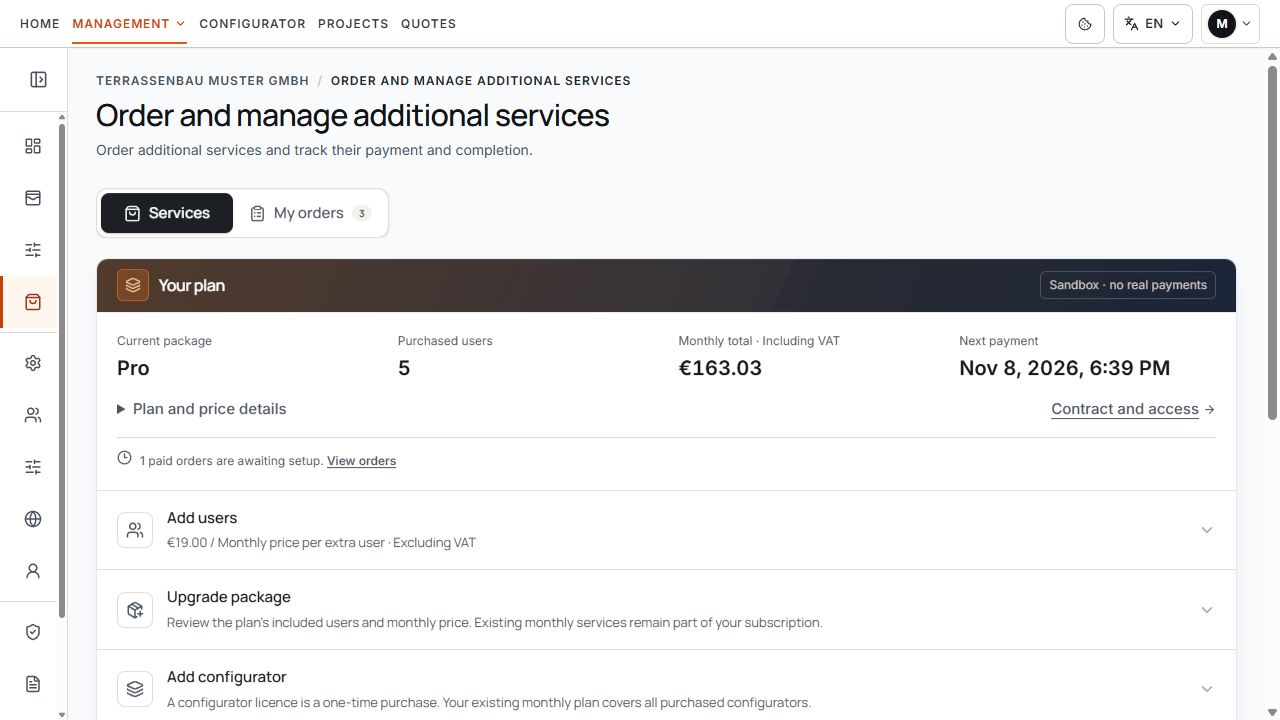
Current plan and available extensions
The plan area shows user capacity, monthly total, and next payment. The available extensions begin below it. View with example data.
Services and My orders
- Services: check the current package and available changes, along with services that can be ordered.
- My orders: track new orders with payment, processing, and possible contract changes.
- Previous inquiries: earlier manually managed inquiries appear separately if such records exist.
- Contract & access: manage the main subscription and recurring additional services with their available cancellation actions. There is no longer a separate My subscriptions tab for this in Additional services.
Review and order services
- Open Additional services and select Services.
- Open the desired offered service and read its scope and billing type.
- Add required details, such as a pricing profile, files, or a note.
- Check the order summary with the current payment amount, tax, and any change to the monthly amount.
- Select an offered payment method and confirm the required order notices.
- Complete payment through the offered payment route and track the same transaction under My orders.
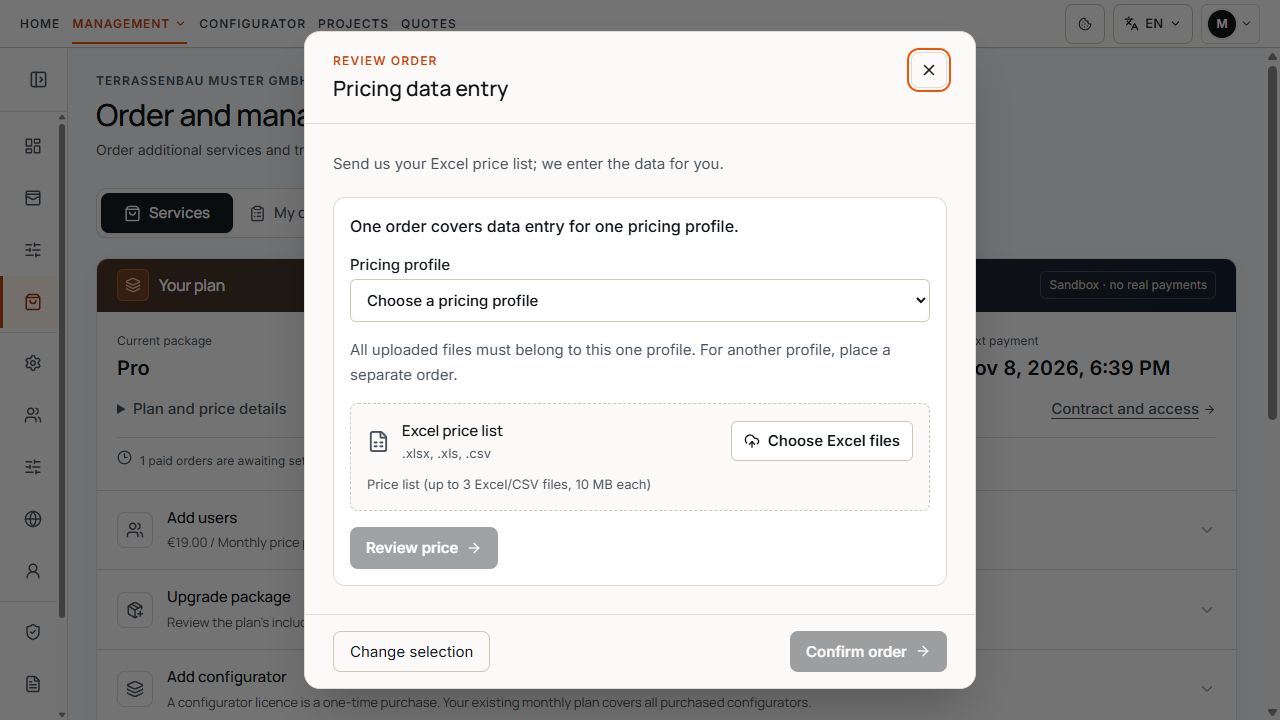
Prepare price data maintenance before ordering
The pricing profile and Excel files are assigned to the desired price data maintenance. View with sample data.
Payment and technical implementation are separate. Paid orders do not automatically change company users, configurator permissions, modules, or storage limits.
Add a package, users, and configurators
If an online subscription is linked to your company and available for changes, you can order the package and user changes offered for it. Additional configurators appear only if they are actually available and not already included.
- Package change: select an offered higher package and check the additional scope.
- Users: check the desired total number of ordered users and the package's permitted range.
- Configurators: mono-pitch roofs, flat roofs, and louvred pergolas are already part of the base scope for new online subscriptions. Other offered configurators may have their own one-time costs.
- Prices: read any prorated amount for the remaining billing period separately from the new recurring total.
A change already paid for but not yet implemented may be included in the ordered scope. Check My orders first before ordering the same scope again.
Order price data maintenance for a pricing profile
A price data maintenance assignment applies to exactly one pricing profile. The order assigns the files and agreed work scope to that profile.
- Open the Price data maintenance service.
- Select the intended pricing profile and check the associated configurator.
- Add the required Excel price lists and a helpful note.
- Ensure that all uploaded files belong to this one pricing profile.
- Check the price and complete the order.
Prepare the pricing profile and Excel files
The pricing profile and Excel files are assigned to the desired price data maintenance. View with sample data.
A separate assignment is required for another pricing profile. If no suitable profile can be selected, clarify the assignment with Support before ordering.
Distinguish payment from manual processing
After payment is confirmed, Terrace3D processes the order and informs you when it is complete. Payment, purchased scope, and technical activation are different pieces of information.
With SEPA, bank confirmation may initially be pending. While payment is being processed, do not create a second order for the same transaction. If an order requires no additional payment amount, follow the displayed completion confirmation instead.
- Payment pending or Processing: track the payment status of the existing transaction.
- Paid: payment is confirmed; manual implementation may still be pending.
- Processing completed: check the implemented scope in the company account and, where applicable, in a test project.
- Missing activation after completion: contact Support with the order reference and affected feature.
Track My orders
Open My orders and find the transaction by its reference, name, or date. Check payment and processing separately.
For a contract change, the original contract document and later addenda may be displayed separately. The original documents are retained.
- Check the order reference, service, and, where applicable, pricing profile.
- Check the payment status and available payment link.
- Compare processing progress with the scope already purchased.
- Read the displayed contract addendum and its effective date.
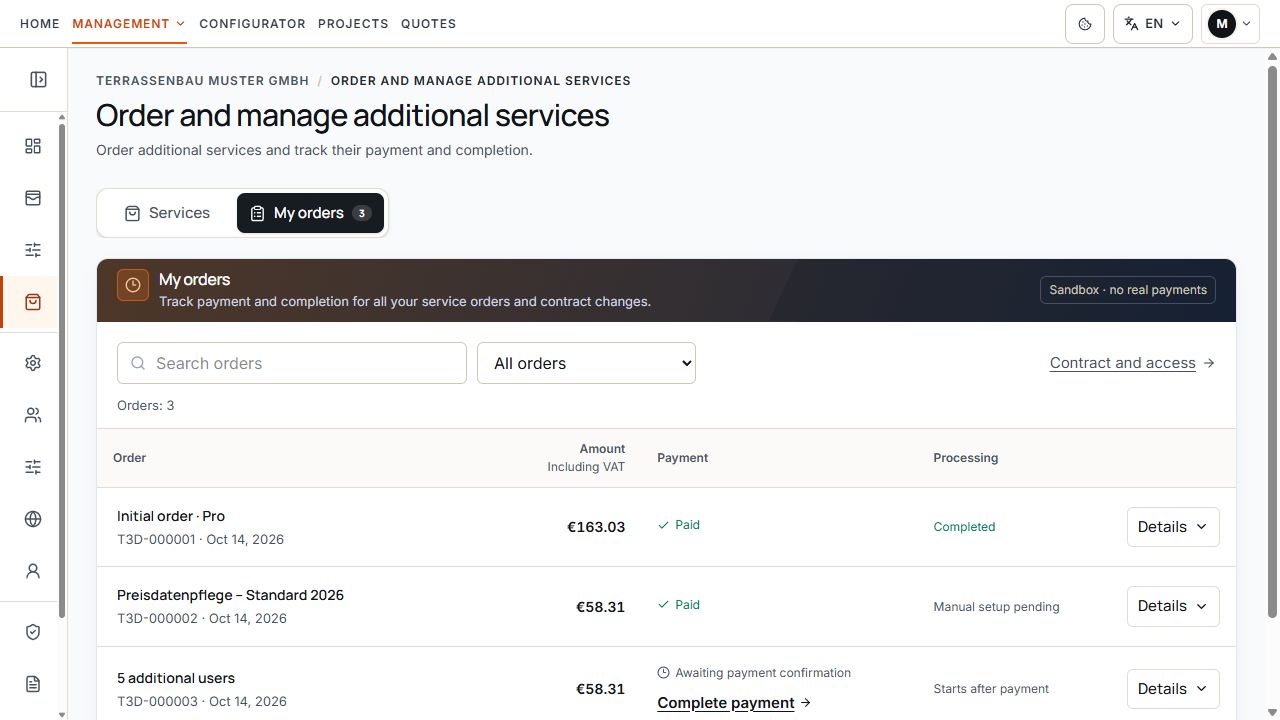
My orders with payment and processing
The list distinguishes paid orders, orders awaiting payment, and orders still to be processed. View with sample data.
Recurring services under Contract & access
Open Contract & access to check the main subscription, ordered users, and recurring monthly additional services. The saved scope, displayed amount, and confirmed billing period are authoritative.
A monthly package that can be ordered multiple times adds another recurring fee with each confirmed order. Check the existing quantity and new total before placing another order.
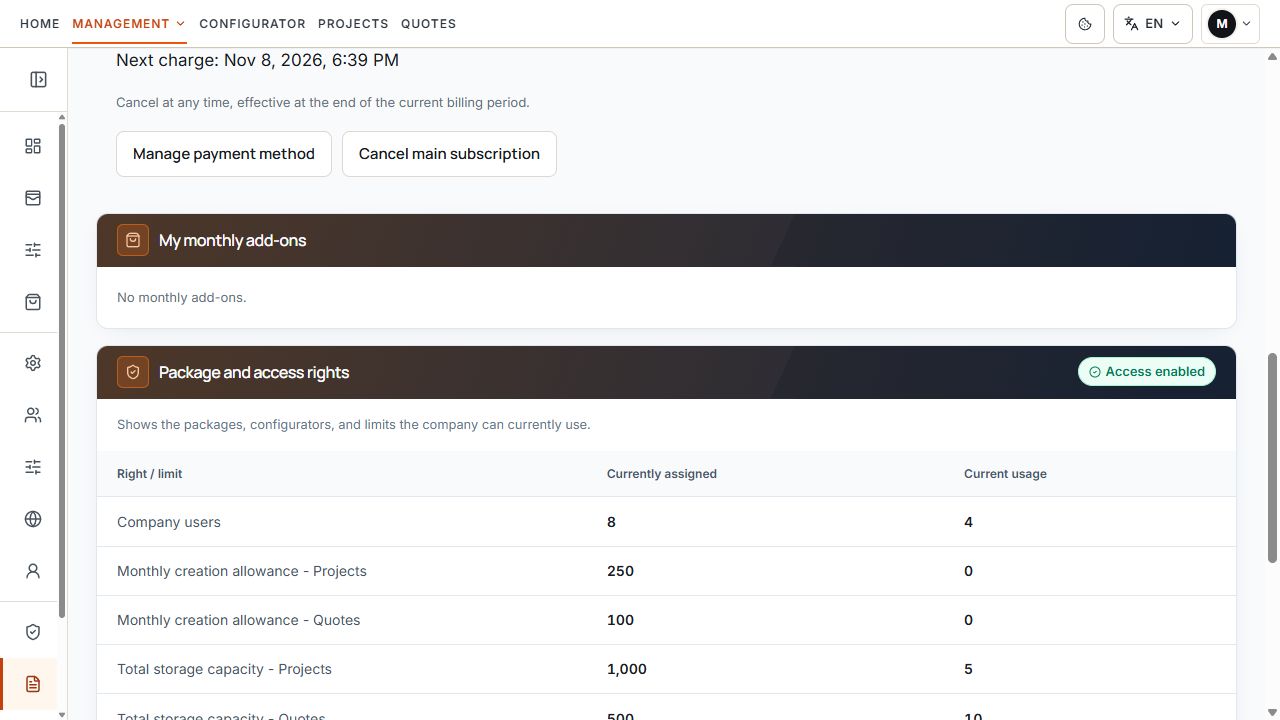
Area for monthly additional subscriptions
The contract area summarizes package scope and monthly additional subscriptions. The example shows an empty additional subscription area. View with sample data.
Cancel monthly additional services
For subscriptions managed online, use the offered Cancel this additional subscription action under Contract & access for the desired service. Check and confirm the displayed end date.
Canceling a single additional service does not automatically affect the main subscription or other services. When canceling the main subscription, however, the confirmation shows the monthly scope affected together.
For new online subscriptions, the end follows the individual billing period; existing calendar-based or manual contracts follow their saved terms and the respective request channel offered.
A disabled product option or a card removed from the catalog does not cancel a recurring contractual service. Use the specific cancellation action or the support channel intended for your contract.
Earlier manual inquiries
If older manually managed inquiries exist, they appear under Previous inquiries. Their saved acceptance, billing, and processing terms continue to apply.
These records may show statuses such as Quote under review, Accepted, or Completed, along with permitted withdrawal actions. This historical inquiry tracking is not the general ordering and payment process for new online orders.
Do not create another online order for an already accepted manual assignment simply because its history shows no online payment information. First reconcile the record with Support.
If ordering is currently unavailable
- Without an assigned online subscription, package changes and monthly services may not yet be available; offered one-time services may already be orderable.
- A canceled, paused, or otherwise unchangeable subscription may limit further orders.
- First check an outstanding payment or ongoing change under My orders.
- If an inquiry is already open, open the existing record instead of requesting the same service again.
- Resolve missing pricing profiles or exhausted user limits before completion.
When Support is useful
- A confirmed order does not appear under My orders.
- Payment or manual processing remains unclear.
- The ordered service is unavailable after confirmed completion.
- The pricing profile, scope, recurring amount, or contract addendum does not match the order.
- A cancellation action is missing or the displayed end date is unclear.
Provide the order reference, service, and displayed payment or processing status. A new order does not replace clarification of the existing transaction.
